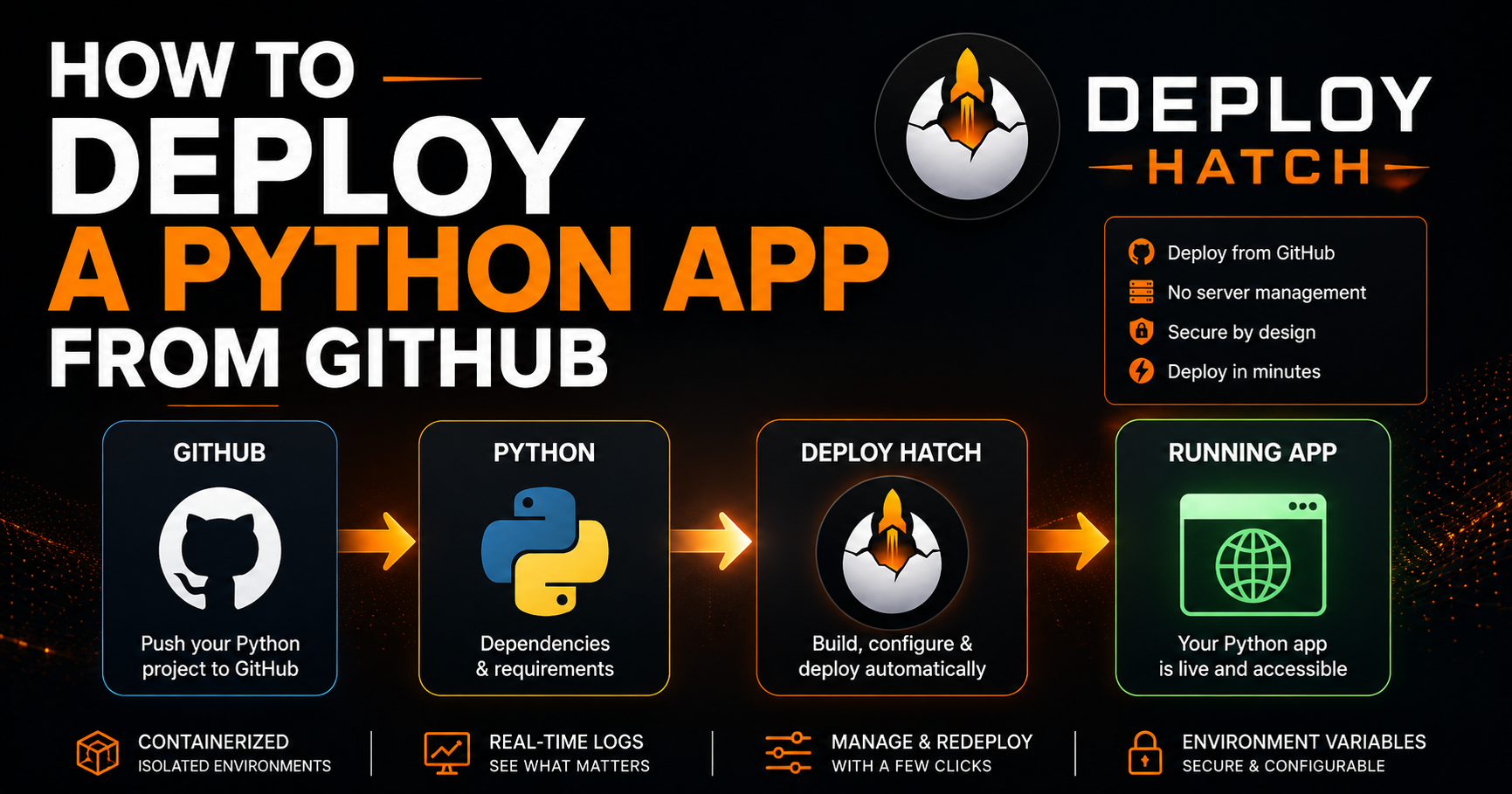
How to Deploy a Python App From GitHub
A practical guide to taking a Python project from a GitHub repository to a running application without managing a server
Getting a Python application working locally is usually the easy part.
Keeping it running somewhere else is where deployment starts introducing extra work.
You need a machine, a Python runtime, dependencies, environment variables, logs, a reliable start command, and some way to restart the application when things go wrong. If it's a web application, you also need networking and HTTPS.
Traditionally, that often means renting a VPS and configuring everything yourself.
But the underlying deployment process can be much simpler:
GitHub repository → build environment → dependencies → start command → running application
In this guide, we'll walk through what a Python project needs to be deployable and how to take it from GitHub to a running workload.
1. Start with a deployable Python project
A deployment platform needs to know two fundamental things:
What dependencies does your application require?
What command starts it?
A simple Python project might look like:
my-python-app/
├── app.py
├── requirements.txt
└── README.md
For example, app.py could contain a small Flask application:
from flask import Flask

app = Flask(__name__)

@app.get("/")
def home():
    return {"status": "running"}

if __name__ == "__main__":
    app.run(host="0.0.0.0", port=8000)
And requirements.txt might contain:
Flask
gunicorn
That dependency file is important because the deployment environment needs a reproducible way to install the packages your application expects.
2. Make sure your dependencies are declared
A common deployment failure is an application relying on packages that happen to exist on the developer's computer.
Your deployment environment won't have those packages unless you declare them.
With a requirements.txt workflow, dependencies can be installed with:
pip install -r requirements.txt
If your project uses another Python dependency-management approach, the same principle applies:
the repository needs to contain enough information to reconstruct the application's environment.
Your laptop shouldn't be part of the deployment specification.
3. Define how the application starts
Installing the code isn't the same thing as running it.
The deployment system eventually needs a command that starts the workload.
For a Flask application using Gunicorn, that might be:
gunicorn app:app --bind 0.0.0.0:8000
A background worker could instead be something as simple as:
python worker.py
And a Discord bot might run with:
python bot.py
This distinction matters because not every Python deployment is a web application.
Some workloads listen for HTTP traffic.
Others need to remain alive continuously while processing jobs, consuming queues, responding to events, or maintaining external connections.
A deployment platform needs to handle both models appropriately.
4. Push the project to GitHub
Once the application contains its source code, dependency declaration, and startup behavior, push it to a GitHub repository.
GitHub now becomes more than source control.
It becomes the source from which a deployment can be reproduced.
A deployment should also be associated with the specific Git revision being deployed.
That's useful when debugging because:
"Production is broken"
is much less actionable than:
"Commit
abc123failed during dependency installation."
Knowing exactly which revision produced a deployment makes logs and deployment history considerably more useful.
5. Configure environment variables
Applications frequently need configuration that shouldn't be hardcoded into the repository.
Examples include:
DATABASE_URL
API_KEY
DISCORD_TOKEN
SECRET_KEY
These should be configured as environment variables in the deployment environment rather than committed directly to GitHub.
Your Python application can then read them:
import os

database_url = os.environ.get("DATABASE_URL")
This keeps configuration separate from source code and allows different values between development and production.
And, importantly:
don't commit secrets to your Git repository.
6. Build the deployment environment
Once a deployment begins, the platform needs to create an environment capable of running the application.
Conceptually, that means:
Retrieve source
      ↓
Select revision
      ↓
Prepare Python environment
      ↓
Install dependencies
      ↓
Apply configuration
      ↓
Start application
Containers are particularly useful here because they provide a predictable runtime boundary around the application.
But containers aren't the entire deployment system.
The platform still has to manage things such as:
resource limits
lifecycle state
logs
failures
restarts
networking
deployment history
worker capacity
Getting a Python process to start is only one part of keeping it running.
7. Watch the deployment logs
Logs are one of the first places to look when a Python deployment fails.
Typical failures include:
ModuleNotFoundError
A dependency may be missing.
ImportError
The installed package version may not match what the application expects.
Permission denied
The application may be attempting to access something unavailable in its runtime environment.
Or the process may simply exit because the startup command points at the wrong module.
Deployment logs should expose enough of the build and startup process to identify these failures without requiring access to the underlying server.
8. Web apps need to listen correctly
This is a particularly common deployment issue.
A local development server might bind to:
127.0.0.1
Inside a deployed environment, that can prevent external traffic from reaching it.
Web applications generally need to listen on:
0.0.0.0
and on the port expected by the deployment environment.
For example:
gunicorn app:app --bind 0.0.0.0:8000
Once the application is listening correctly, an ingress or reverse-proxy layer can route public traffic to the running workload and terminate HTTPS.
9. Persistent Python workloads are different
Not every Python application needs a URL.
Consider:
while True:
    process_jobs()
Or a Discord bot maintaining a persistent connection.
Or a queue consumer waiting for work.
These processes need to stay alive, but exposing an HTTP endpoint may make no sense.
That's why it's useful to think about deployment in terms of workloads, rather than assuming every deployment is a website.
Web applications require ingress.
Persistent workers require reliable process lifecycle management.
Both require logs, resources, configuration, deployment history, and recovery.
10. Deploying through Deploy Hatch
This is the workflow we're building Deploy Hatch around.
Instead of manually provisioning a server and configuring the deployment stack, the workflow starts with your GitHub repository.
You connect GitHub, select the repository you want to deploy, configure the workload, provide any required environment variables, and start the deployment.
Behind that simple workflow, Deploy Hatch handles the infrastructure necessary to turn the repository into a running containerized workload.
You can then inspect deployment logs and manage the running application without SSHing into a server.
For supported web applications, the deployment can also be routed through HTTPS ingress.
Persistent workloads such as bots and background workers can remain running without needing a public web endpoint.
If you want to try the Python deployment workflow, the Python deployment documentation is available at:
https://deployhatch.com/docs/deploy-python
What actually matters in a Python deployment?
The deployment platform can automate a lot, but the application still needs to clearly communicate its requirements.
At minimum, think about:
dependencies
startup command
environment variables
listening address and port for web applications
required runtime resources
external services the application depends on
Once those pieces are explicit, deployment becomes much more reproducible.
And reproducibility is really the goal.
You don't want an application that runs because someone manually configured the right combination of packages on a particular server six months ago.
You want:
Code + configuration + revision
              ↓
      reproducible deployment
              ↓
        running workload
That's a much easier system to understand, debug, and rebuild when something inevitably goes wrong.